
Reviewing and approving
Zippy does the first pass. What goes out is still your call, and nothing reaches a student until you approve it.
This is the step that makes the rest of it safe to use.
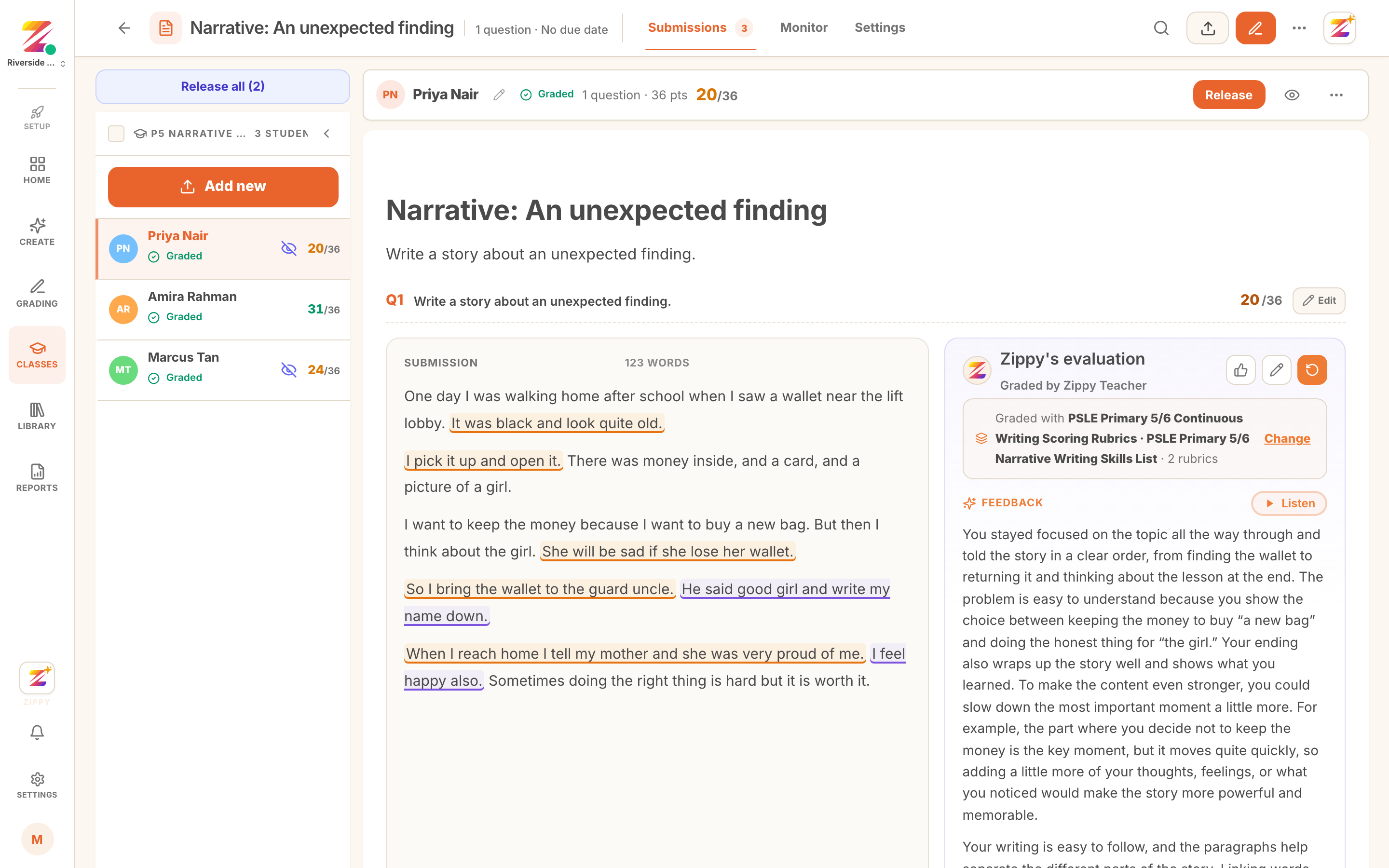 The submissions view with a Needs review pill on a roster row.
What comes back needing a look
After a set is graded, rows fall into a few states.
- Graded is done and scored.
- Needs review is flagged for your attention. The grader was not confident, or the work was unusual.
- Failed to process is a scan Zippy could not read. Retry it, or replace the photo.
Work the flagged rows first. That is where your judgement actually changes something.
Reading one submission
Open a student and you get their work on the left and the feedback on the right: the score against each criterion, the comment, the next step, and the annotations marked in place.
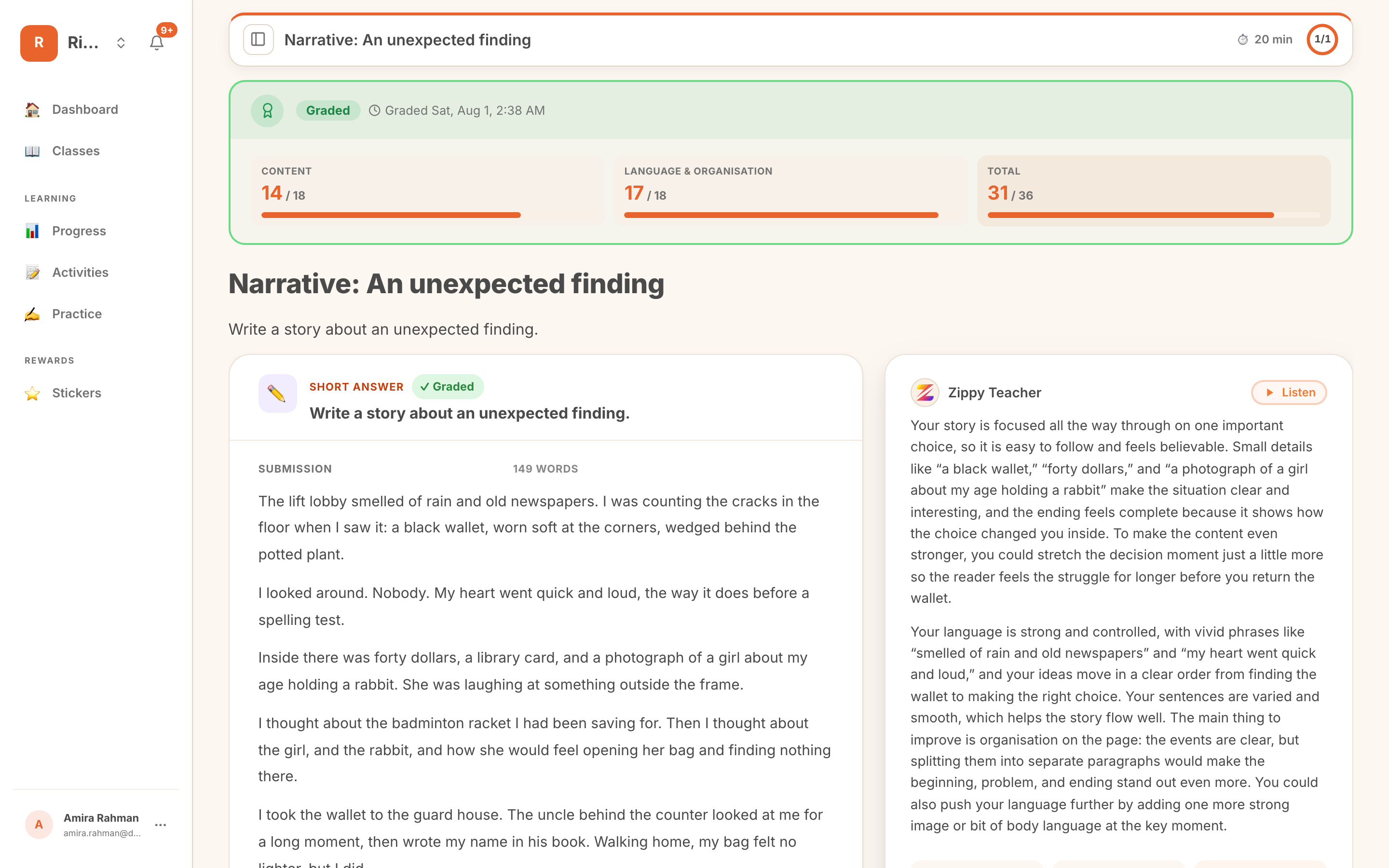 A graded submission with the feedback panel and inline annotations.
Read the annotations before the score. They are the specific claims being made about the writing, and if one of them is wrong the score usually follows.
Changing anything you disagree with
Every part of it is editable.
- Change a score on any criterion.
- Rewrite the comment so it sounds like you.
- Re-run one question if the marking missed the point, optionally with a note telling the grader what it got wrong.
- Re-grade the whole submission if the work was misread from the start.
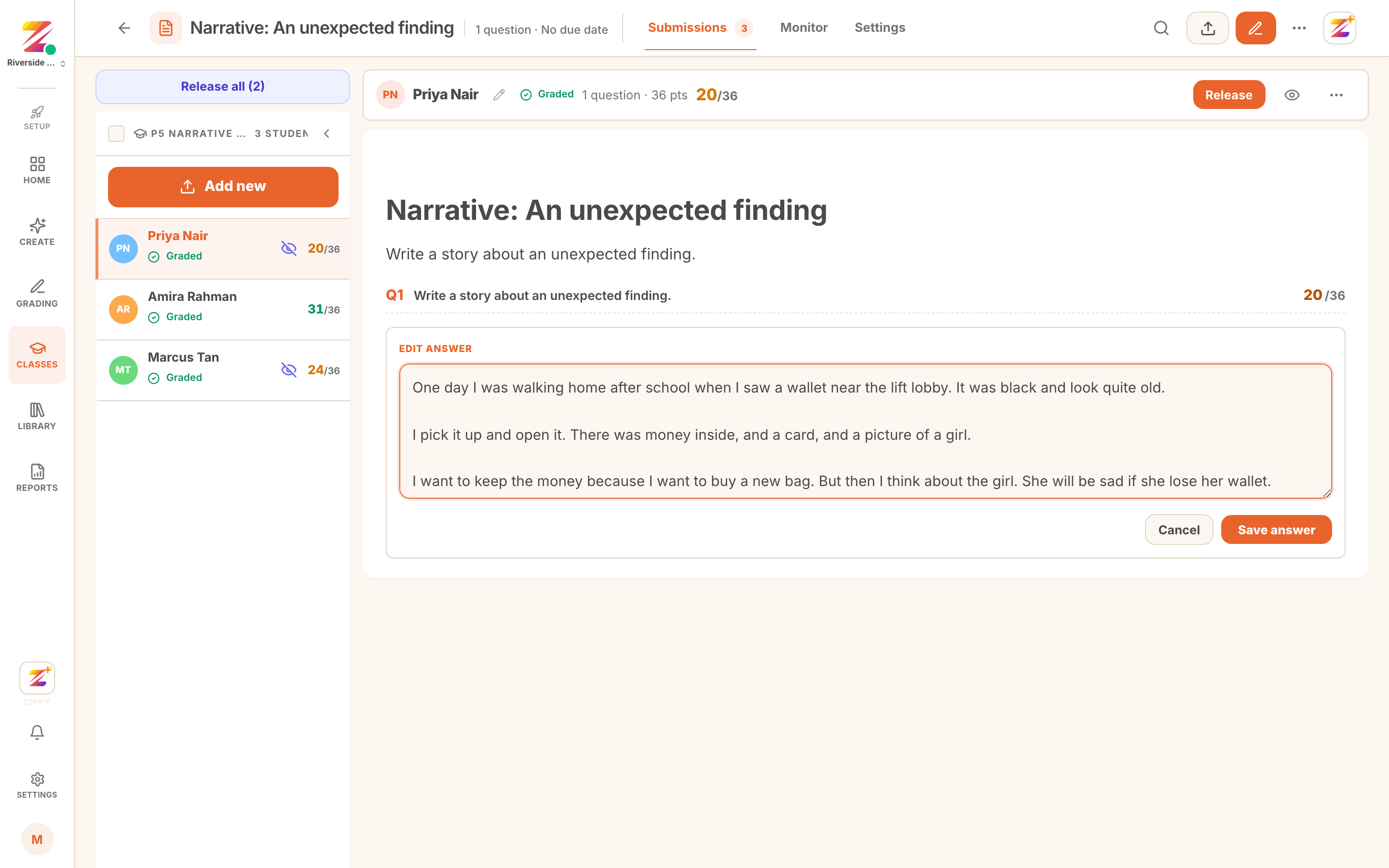 A submission open for editing before it is approved.
Re-running a question can also be applied to every student at once, which is the right move when a question was ambiguous rather than one child's answer being odd.
Approving and releasing
Approving is the moment feedback becomes visible to the student. Until then it exists only for you.
You can approve one submission at a time with Release, or clear the whole set with Release all, which carries a count of how many are still waiting. In the roster at the top of this page, Amira's work has been released and the other two have not, which is what the struck-through eye against a row means.
If your class is set to hold feedback for teacher review, students see nothing until you release it. If it is set to release automatically, approving is what publishes it.
Why it works this way
The objection we hear most about AI marking is not that it will be inaccurate. It is that it will sound generic, with a teacher's name on it.
So the draft stays a draft. You edit it the way you would edit a colleague's marking while moderating together, and what reaches the child is yours.
Where to go next
- Bulk grading a class set to produce the work being reviewed.
- Reading your gradebook once a set is approved.