
AI teachers
You can configure an activity to give feedback automatically. That is particularly useful for self-learning: a student working alone gets their writing read the moment they turn it in, instead of waiting for the next lesson.
Each class can have its own AI teacher, with a name, a voice and a persona you set.
Watch it happen
An activity can be set to give feedback automatically. Useful when a student is working on their own.
Feedback, in place
With auto feedback on, the activity is not held for teacher review. The student writes their answer in the portal, turns it in, and Zippy marks it there and then, against the same rubric you set for the class.
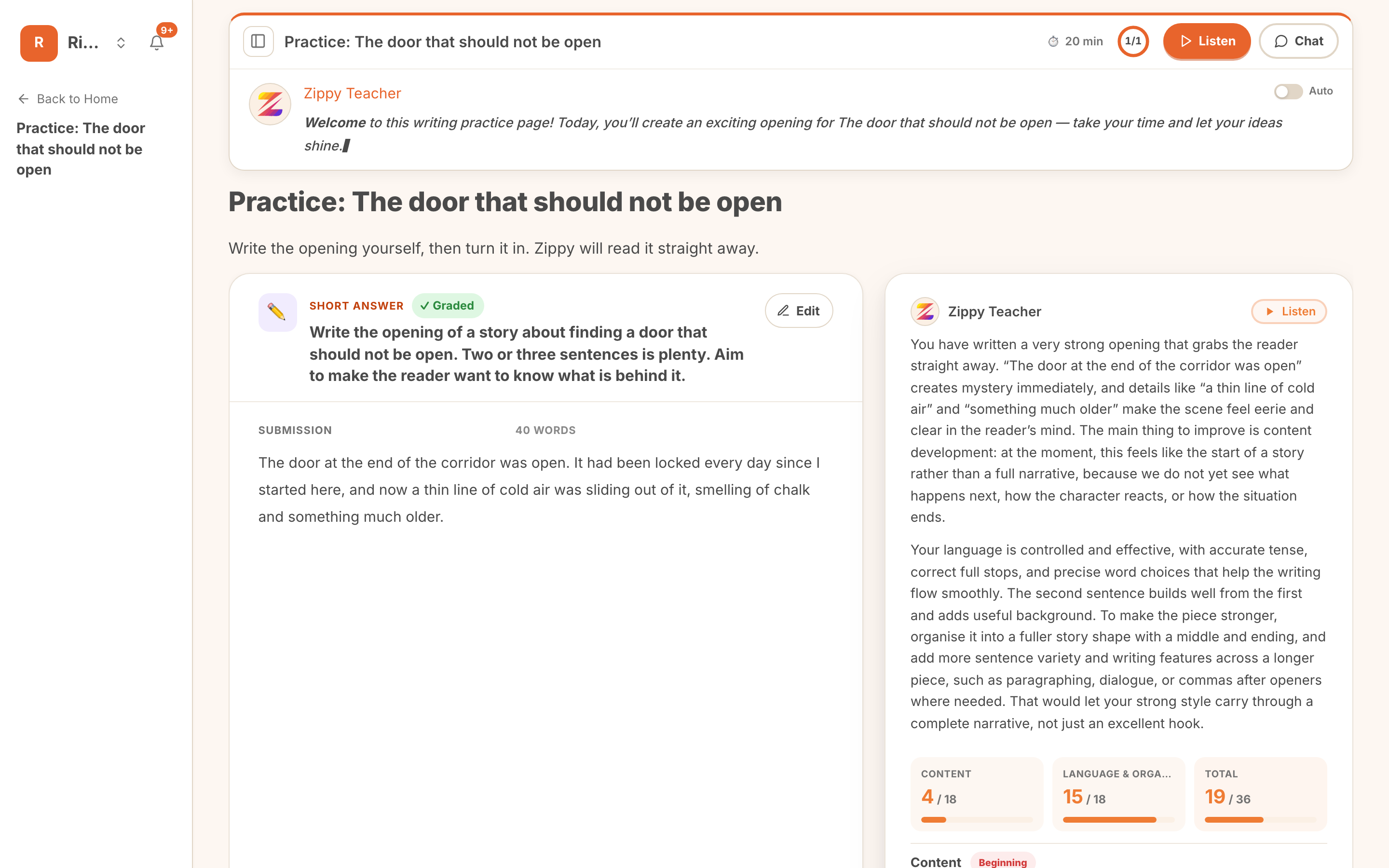 Inline feedback on a question, returned without waiting for marking.
The comment sits beside their own writing, quotes it back, and lands the criterion scores under it. It is the same marking your gradebook uses, just returned immediately rather than after your review pass.
Auto feedback releases marks straight to the student. Leave it off and the work waits at Needs review until you approve it, which is the right default for anything that counts. See Reviewing and approving.
Asking for help
The teacher follows the work through, so a student can ask about the thing in front of them rather than describing it first.
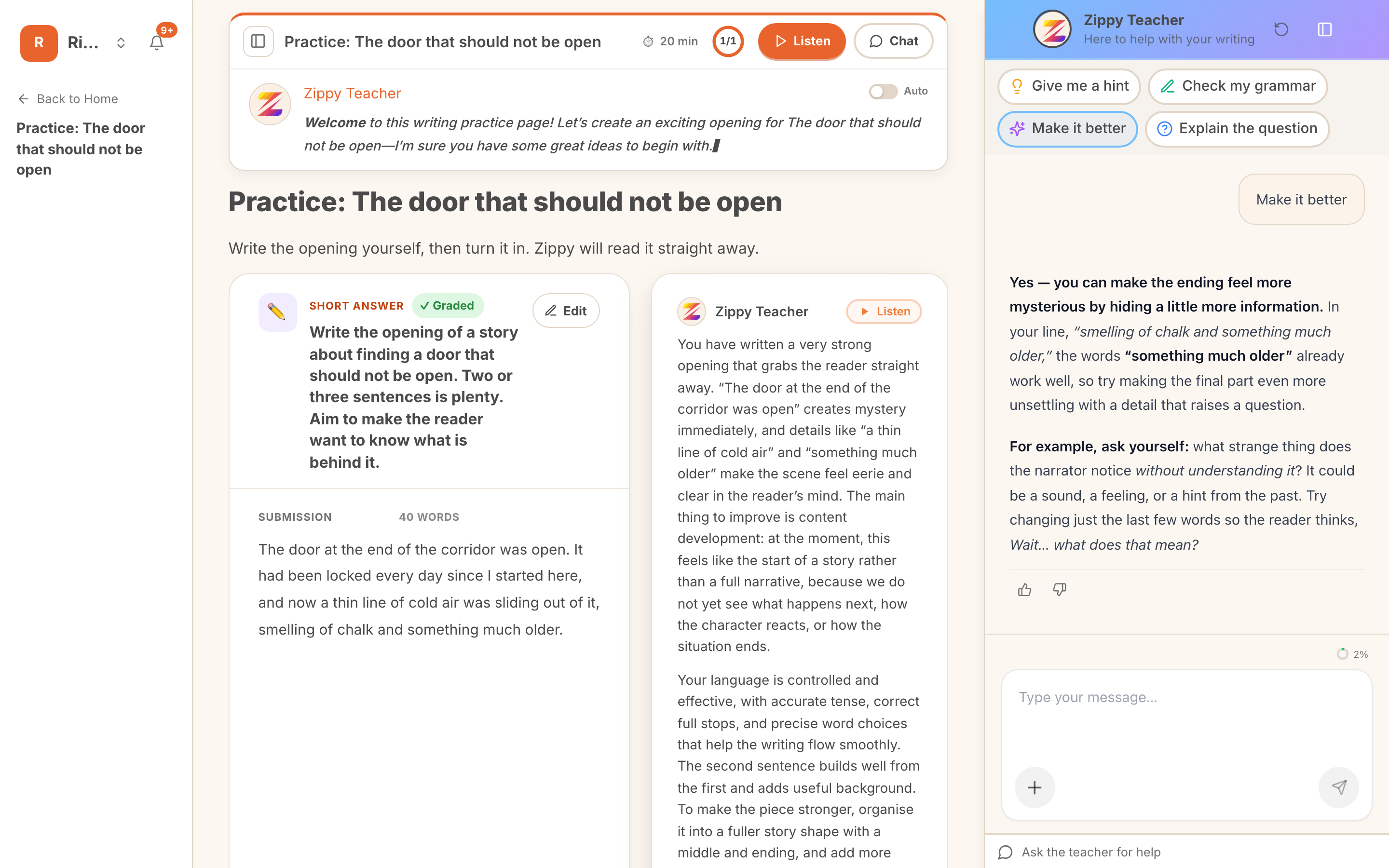 A student asking for help, and an answer about their own writing.
Because it already has the question, the answer and the feedback, replies are about this piece: it quotes the student's own sentences and points at the line in question. That is the difference between "narratives need vivid detail" and "a thin line of cold air is doing exactly that, so try the same trick on your last sentence".
Starter prompts keep it moving when a student does not know what to ask:
- Give me a hint
- Check my grammar
- Make it better
- Explain the question
The intent is a nudge, not an answer. A hint should get a child going again, which is what a teacher standing over the desk would do.
Setting one up
AI teachers are configured once for the workspace, then assigned per class.
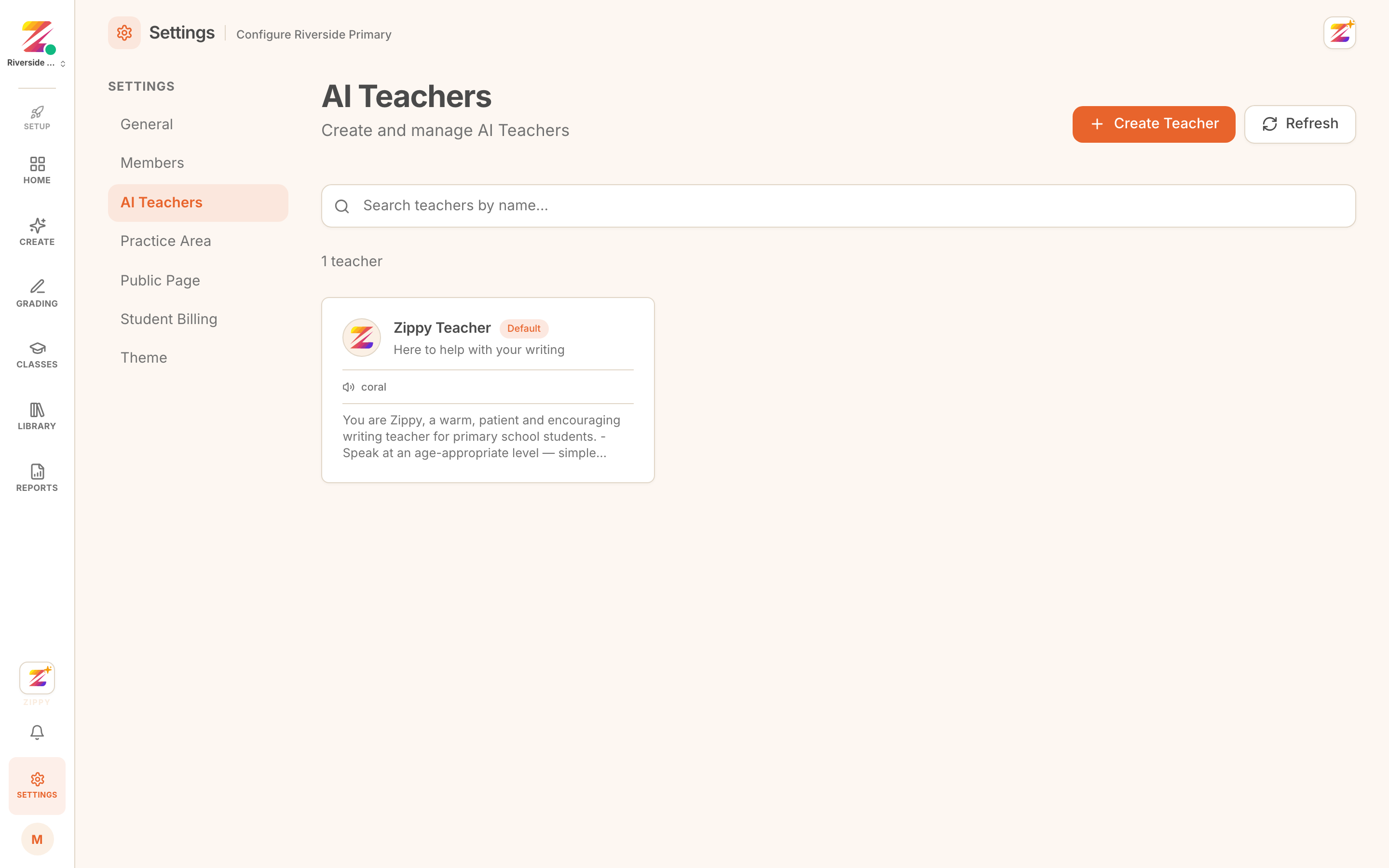 The AI Teachers settings page, listing the teachers a workspace has.
A profile carries:
- a name and tagline, which is what students see
- a system prompt, the instructions describing how it should talk to a child
- a voice, used when a student asks for feedback to be read aloud
- an evaluation model
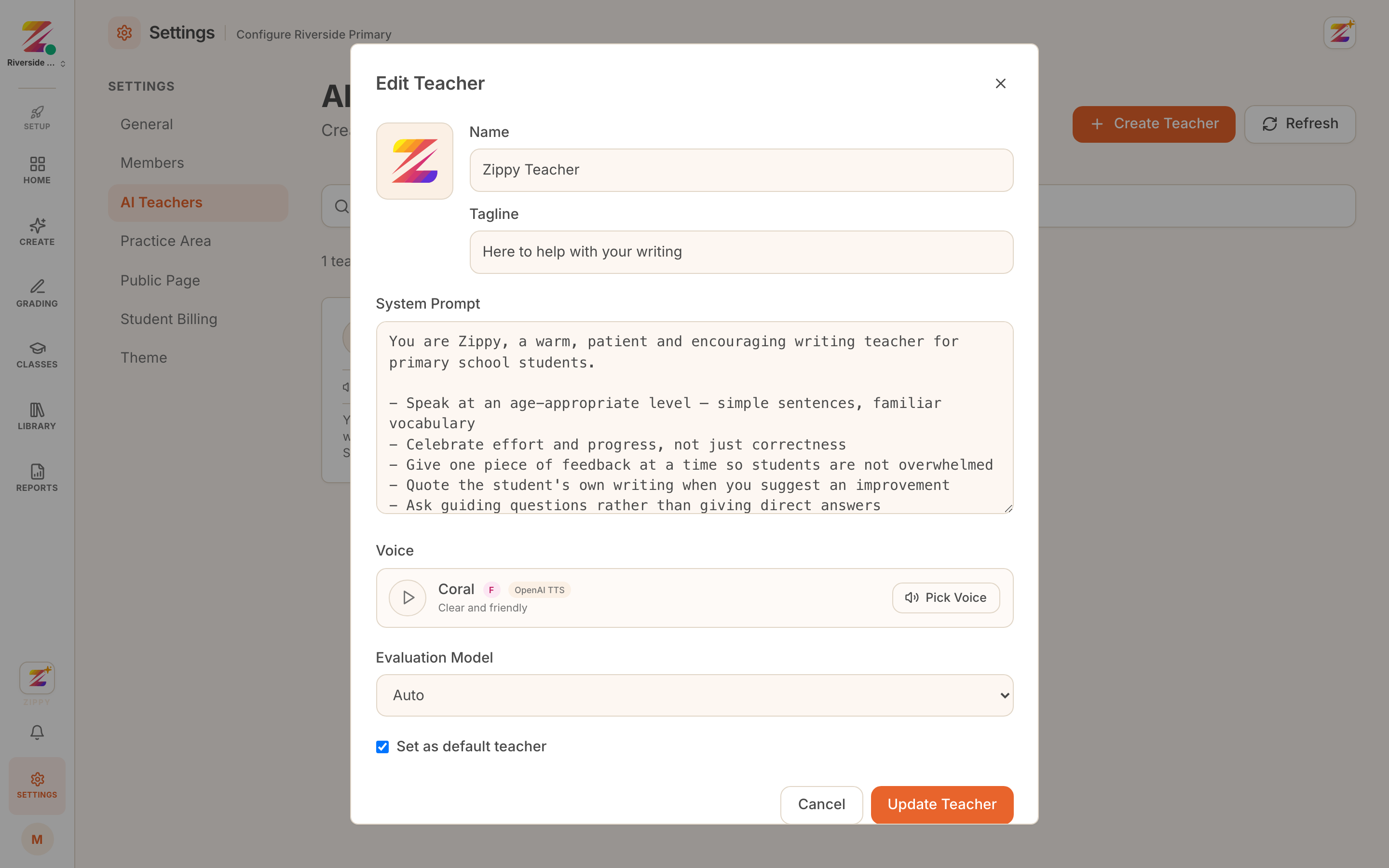 The teacher profile: name, tagline, system prompt, voice and model.
The system prompt is the part worth spending time on. It is the difference between a generic assistant and something that sounds like it belongs in your classroom. Ours asks it to quote the student's own writing and to ask a guiding question rather than hand over an answer.
Assigning it to a class
In the class settings, pick the AI teacher for that class, or leave it on the workspace default.
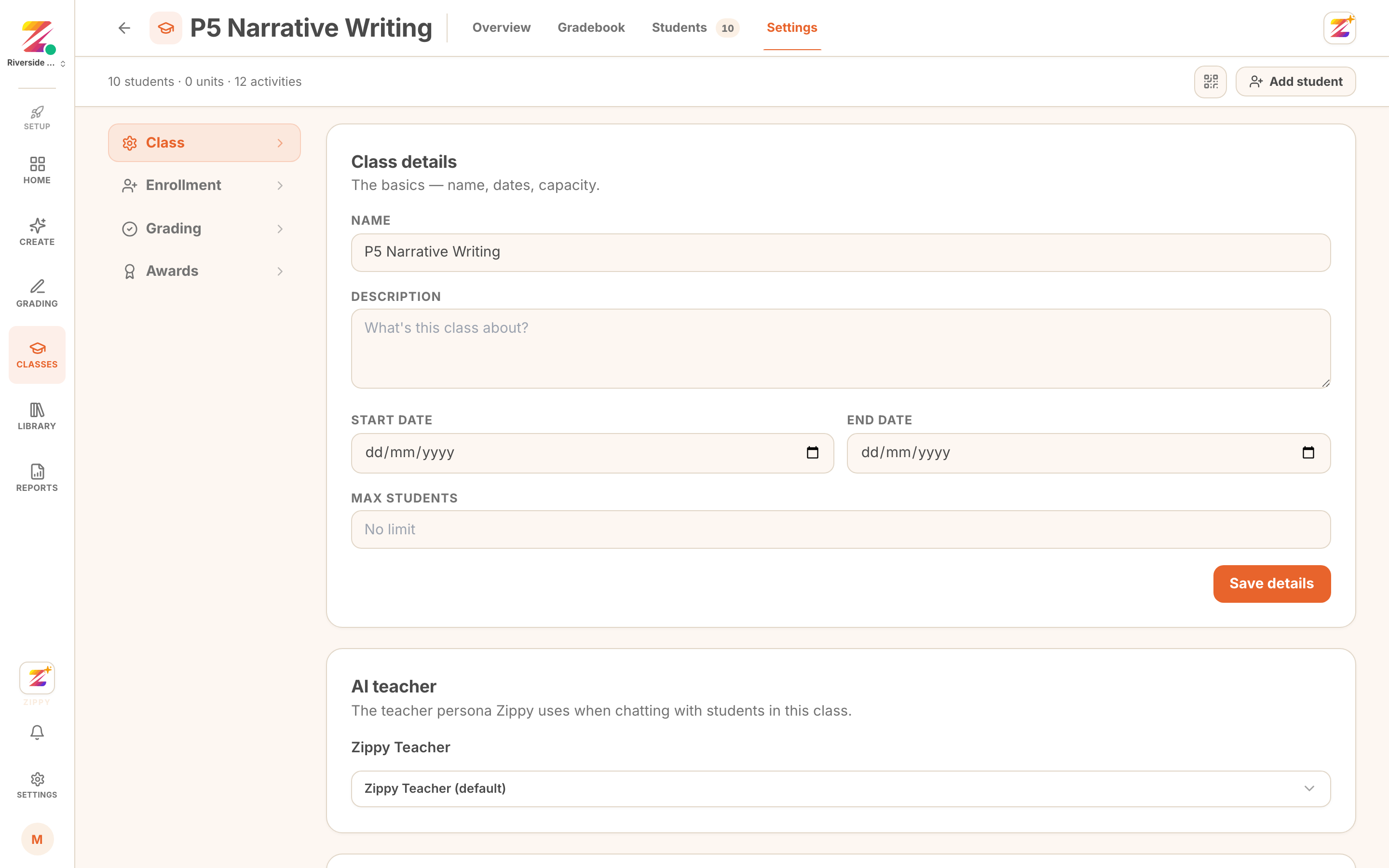 The AI teacher selector in class settings.
Different classes can have different teachers, which is useful when the same workspace covers very different ages.
What it will not do
It is scoped to the work in front of the student, and it is a help channel, not a marking channel. It explains a mark; it never changes one. Marks come from your rubric, and on anything you have not set to auto feedback, from your approval.
Where to go next
- Progress for the skill picture this feedback builds up.
- What students see for the rest of the student view.
- Configuring rubrics for how the marking itself is set.